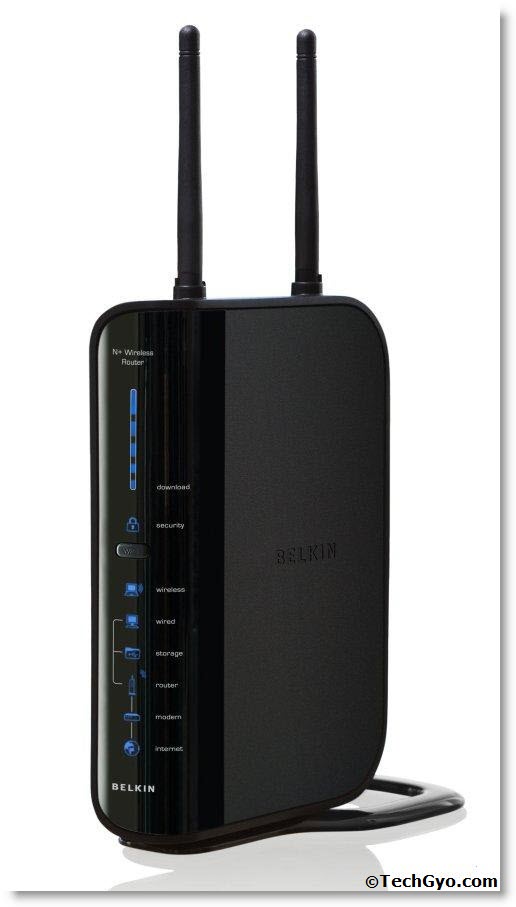
 Today we are a bit happy and excited to write this post. What happened is that we purchased a Laptop and Belkin wireless N router. However after coming back from the shop and installing the operating system we had a bit of glitch in setting up the wireless internet connection. We had to try a lot of steps to get it done. So I will just give you the correct steps which lead us to success below.
Purchased The Router What Next?
Great, so now you own a wireless router, you have only a few steps to get a wireless internet connection now. First you need to connect the Ethernet cable that is coming out from the Modem to the wireless routers, input point. Generally it would be of different color than the other ports. But before everything make sure that your wireless card driver is installed in your laptop. You can verify it from device manager.
Step 1:
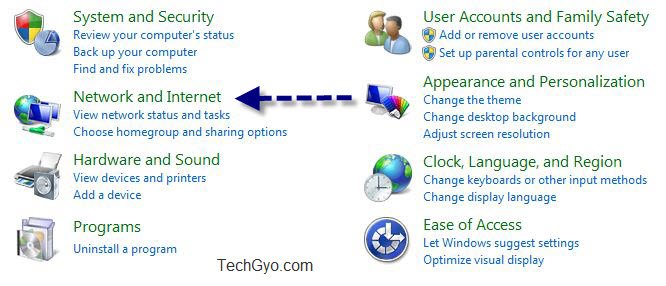
Go to control panel and then goto Network and Internet.
Step 2:
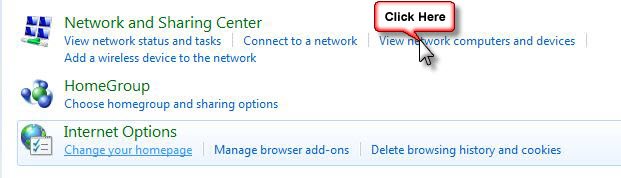
Click On View Network Computers And Devices
Step 3:
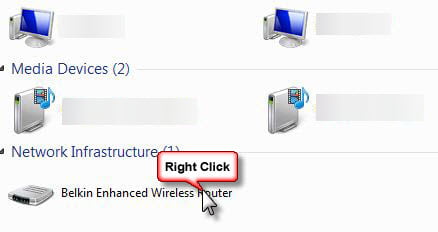
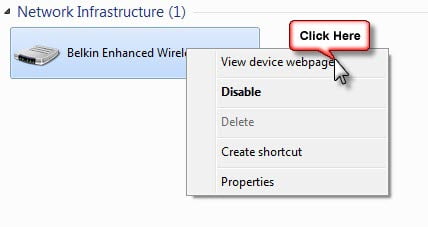
Now Right Click On Your Wireless Device Icon.
Step 4:
Now click on the “View Device Webpage” on the pop up that comes.
Step 5:
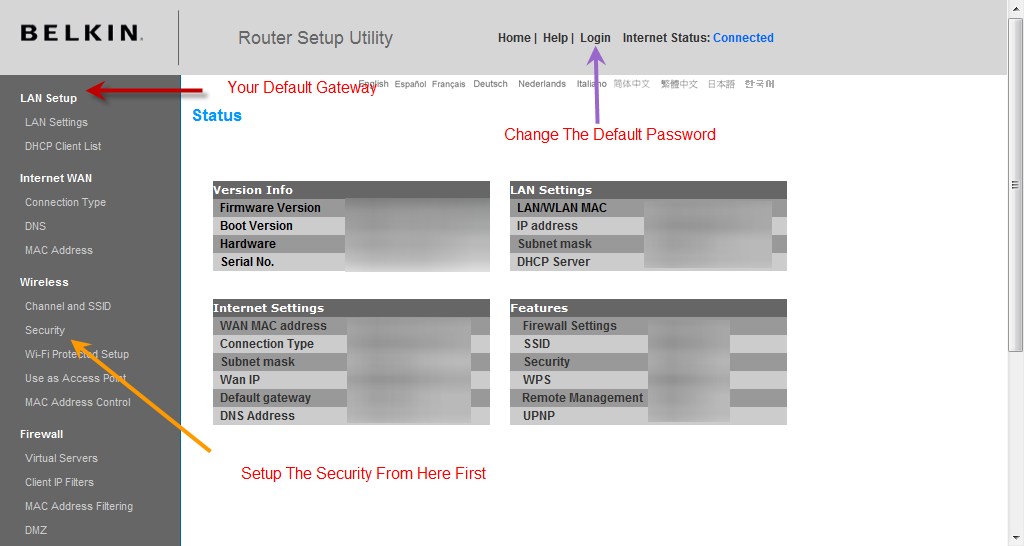
Now You Will Be Taken To The Device Configuration Page. Here you Need To Change The Default Password, Setup The Security And Also Lan Setup.
Step 6:
After this is done double click on the router icon and it will give you option to configure the new wireless device. You can either configure it manually or you can use the driver CD provided by your router manufacturer. The best option is to use the Driver CD.
How To Protect My Wireless Router?
Make sure you have enabled all the security features fro the configuration page and always change the default password. I have already made post on this you can check it how to protect your router more effectively here